Edit Configuration
Edit environment configuration
After received configuration - your EZCallOpcConfig dialog has been extended by Environment Settings:
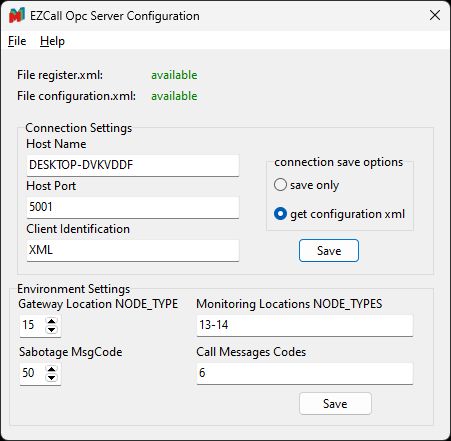
You will find a new file: "%Program Files (x86)\PKE\EZCallOpcServer\Settings\configuration.xml". This file defines the subsystem configuration. Depending on it these configuration the Environment settings may vary. You will get these params from your vender. The above dialog shows the default parameters.
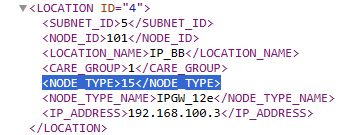
- Gateway Location NODE_TYPE: configured hardware type for medicall gateways (default = 15)
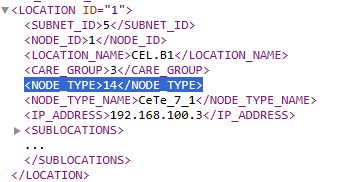
- Monitoring Locations NODE_TYPES: other devices which should be monitored by the opcserver (default = 13 and 14). Separate multiple values with "-".
- Sabotage MsgCode: configured code in <CTNR> message for sabotage event (default = 50)
- Call Message Codes: same as above for calls (default = 6). Separate multiple values with "-".
If Environment Settings have been edited press the lower "Save" button.